

Lifestyle
Shrine Visit Log
A quiet, private record of your shrine visits.
Features
- Find nearby shrines on the map and record your visit on the grounds
- Keep photos, goshuin stamps and notes together for each shrine
- Organize goshuin by stamp book
- Your records are stored on your device and in your own iCloud
A closer look
01
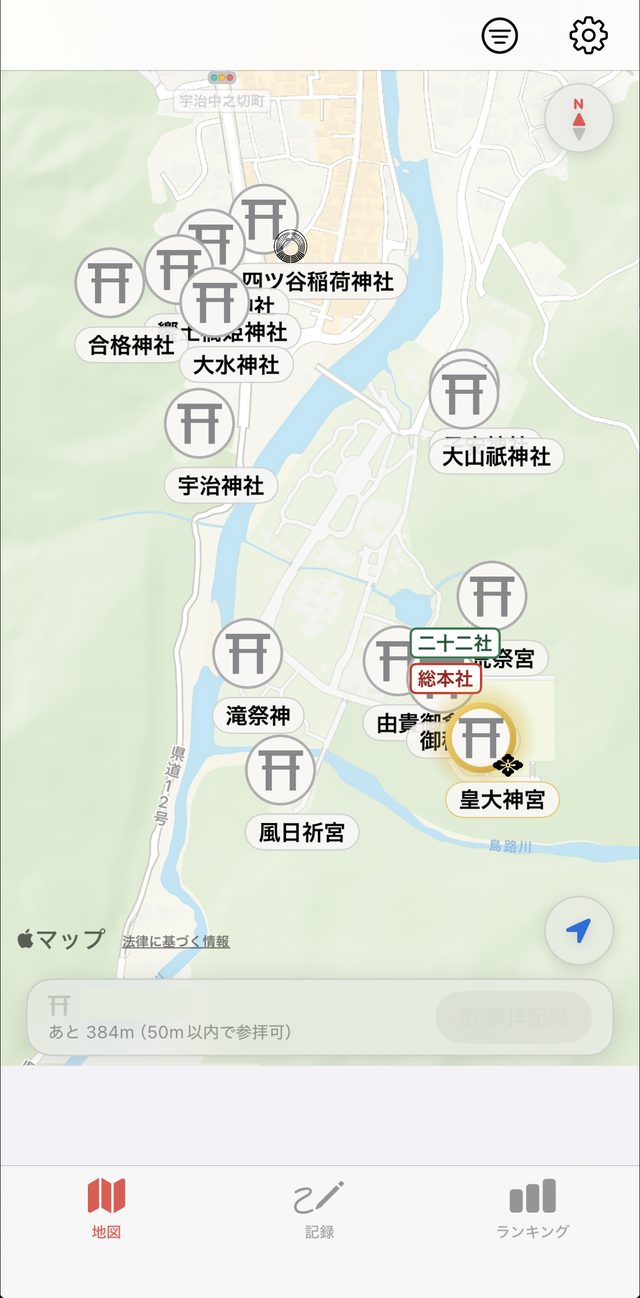
Find shrines near you on the map
Shrines around you appear on the map as torii pins. Not just the famous ones — small neighborhood shrines show up too, so you notice the ones you used to walk right past.
- The bar at the bottom shows the distance to the nearest shrine
- Within 50 m of a shrine, the “Record visit” button becomes available
- The crest at the corner of a pin marks the shrine’s tradition, such as Inari or Hachiman
- Filter the map by visited, has goshuin, favorites or want to visit from the top-right button
02
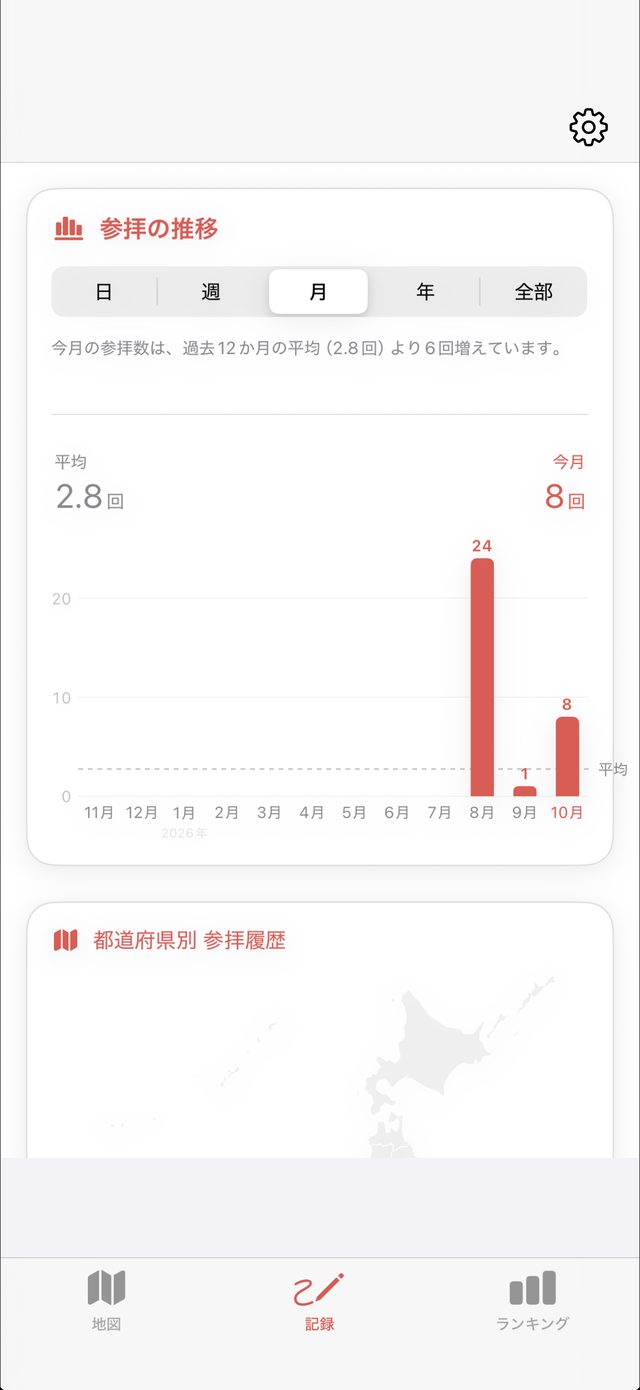
Look back on your visits in a chart
In the Records tab, chart your visits by day, week, month, year or all time. Busy travel months and quiet stretches stand out at a glance.
- This month shown next to your 12-month average
- A one-line summary tells you how far above or below average you are
- See your visits by prefecture on a map
03
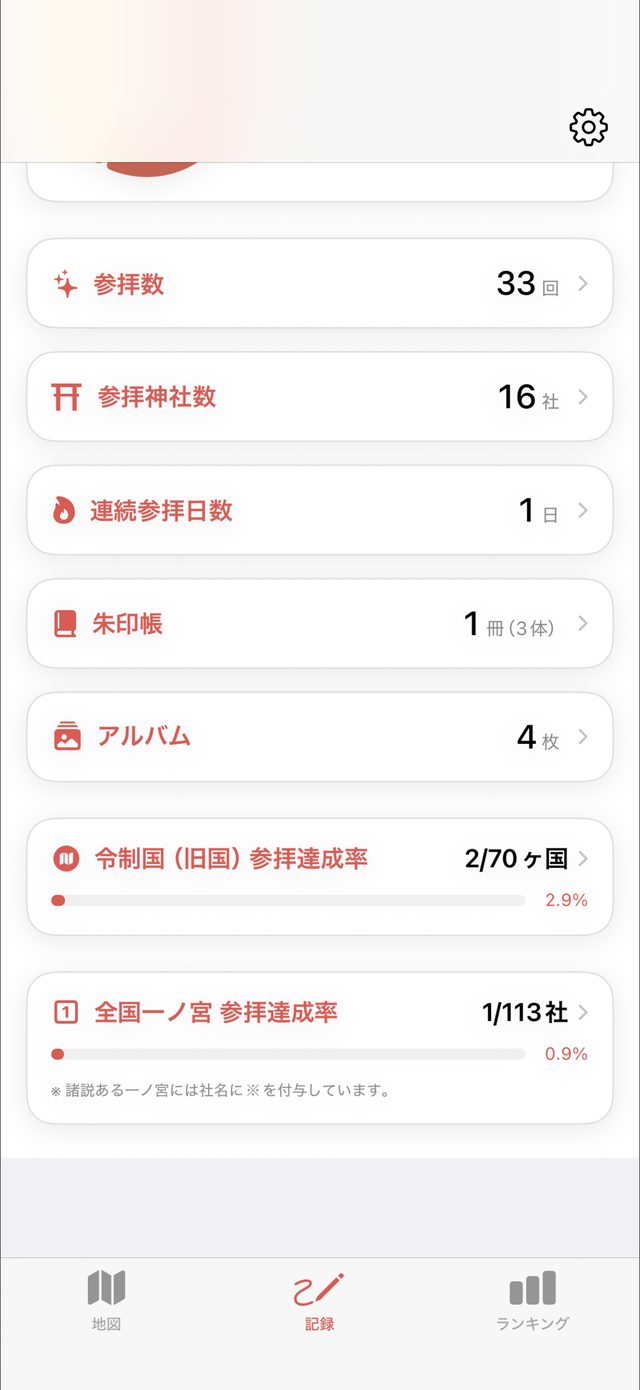
Your journey in numbers
See how many times you have visited, how many shrines, and how many stamp books and photos you have — tap any row to see the details.
- Total visits, shrines visited and visit streak
- Number of stamp books and the goshuin they hold
- An album of the photos you took at shrines
- How many of Japan's old provinces you have visited
04
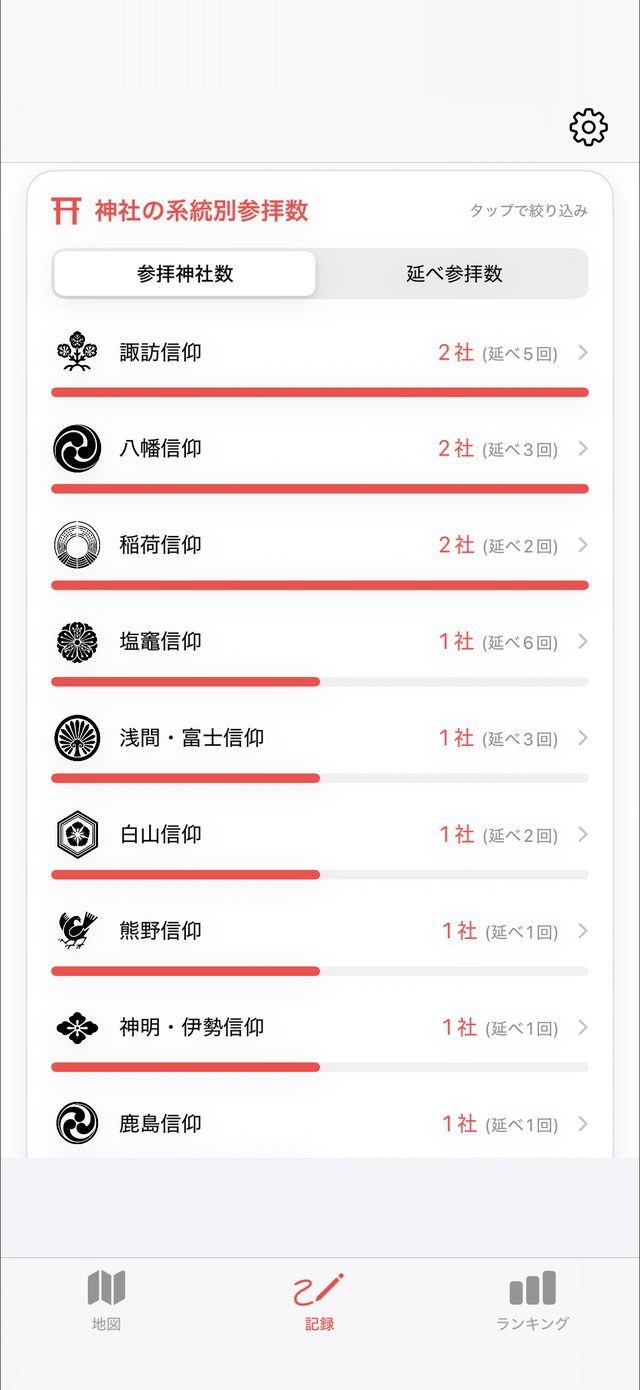
Your visits by shrine tradition
Shrines are grouped by tradition — Hachiman, Inari, Suwa, Kumano and more — each shown with its crest, so you can see which kinds of shrines draw you in.
- More than 30 traditions
- Switch between shrines visited and total visits
- Tap a tradition to see just those shrines
05
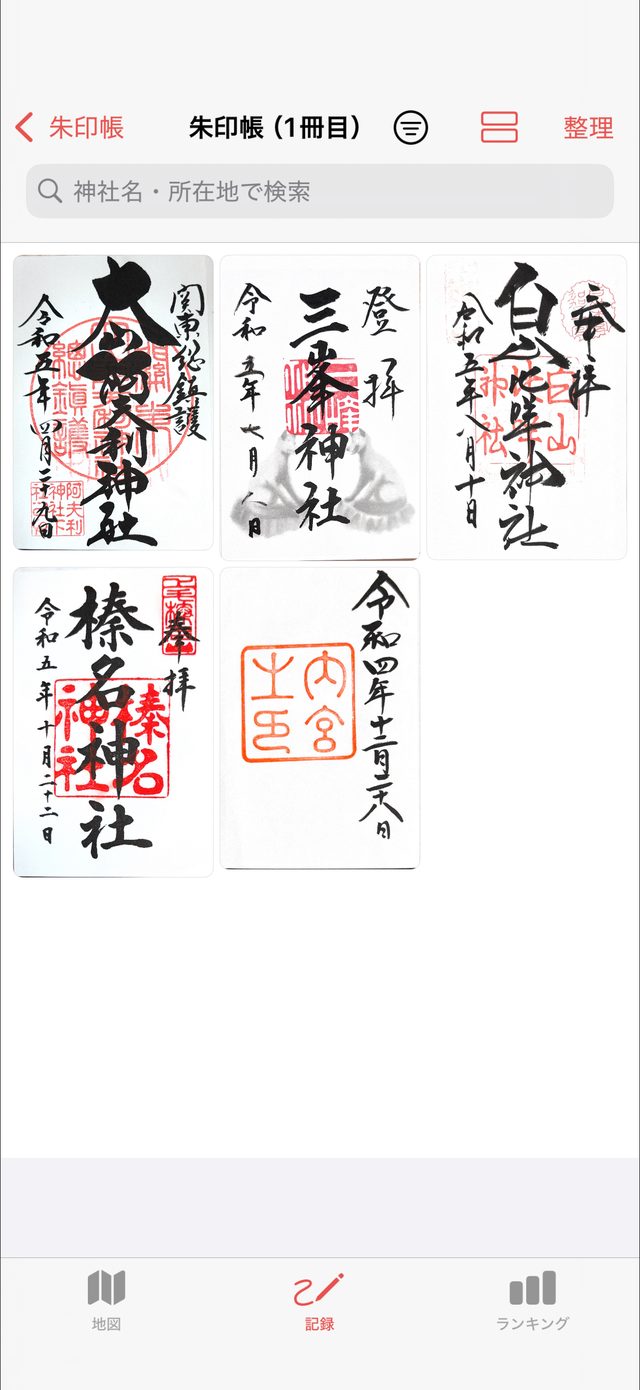
Keep your goshuin, book by book
Scan the goshuin you receive with the camera and save them in the app. File them into “Book 1”, “Book 2” and so on, just like your real stamp books, and flip back through them anytime.
- Document scanning straightens and crops each sheet cleanly
- Search by shrine name or location; sort by date or name
- Sort unfiled goshuin into books later, all at once
06
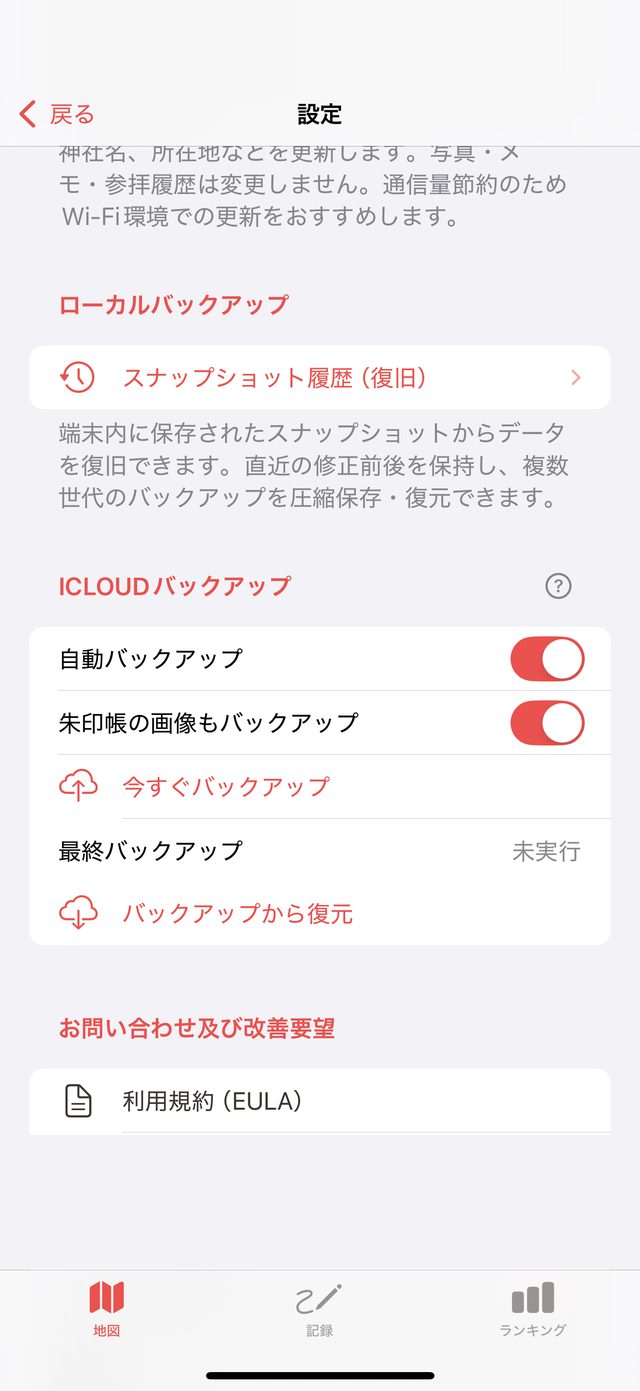
Your records, backed up twice
Keep your records both on your device and in your own iCloud, so you can get them back when you switch phones or if something goes wrong.
- Each time you add or edit a record, a snapshot is created on your device automatically — up to 8 are kept, from the latest back to a month ago
- Free: restore the latest snapshot. Paid: restore any saved snapshot
- Before restoring, see how many records will come back, be removed or change
- Automatic iCloud backup, optionally including your stamp book images
- Restore from backup when you switch to a new iPhone